
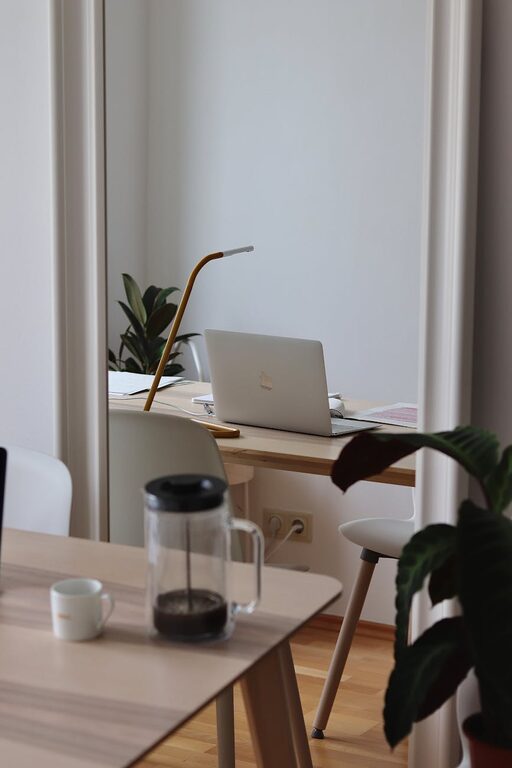
Creating a cozy and productive home workspace is essential for anyone working remotely or studying from home. A well-designed area can enhance your focus, reduce stress, and make your workday more enjoyable. Here are some helpful tips to help you craft a space that’s both comfortable and efficient.
1. Choose the Right Location
Selecting the right spot for your workspace is the first step. Ideally, find a quiet area with minimal distractions. If you have a separate room, that’s perfect, but a corner in a living room or bedroom can also work.
– Consider natural light sources, as daylight boosts mood and energy.
– Avoid high-traffic areas to reduce interruptions.
– Ensure you have enough space for your work essentials.
2. Invest in Comfortable Furniture
Comfort plays a big role in productivity. Your chair and desk should support good posture.
– Use an ergonomic chair that supports your lower back.
– Adjust your desk height so your arms are at a 90-degree angle when typing.
– If possible, try a sit-stand desk to alternate between sitting and standing.
3. Optimize Lighting
Proper lighting reduces eye strain and keeps you alert.
– Place your desk near windows for natural light.
– Use a desk lamp with adjustable brightness to focus light where you need it.
– Choose warm white bulbs for a cozy feel, but balance with enough brightness to stay focused.
4. Keep Your Workspace Organized
Clutter can be distracting and stressful. An organized workspace helps maintain focus.
– Use shelves, drawers, or organizers to store supplies.
– Keep only essential items on your desk.
– Create a filing system for papers or digital folders for documents.
– Schedule regular tidying sessions to maintain order.
5. Personalize Your Space
Adding personal touches can make your space more inviting and inspiring.
– Include plants, which can improve air quality and mood.
– Hang artwork or photos that motivate you.
– Use colors and décor that reflect your personality but avoid overly busy patterns.
6. Minimize Noise Distractions
Noise can interrupt concentration and productivity. Find ways to reduce unwanted sounds.
– Use noise-canceling headphones or earplugs.
– Play soft background music or white noise if it helps you focus.
– If possible, use rugs and curtains to absorb sound.
7. Incorporate Technology Thoughtfully
Your technology setup should support your work without adding complexity.
– Ensure a reliable internet connection.
– Use wireless devices to reduce cable clutter.
– Position your monitor at eye level to reduce neck strain.
– Keep chargers and cables organized with clips or holders.
8. Take Breaks and Move
Working long hours without breaks can decrease productivity and cause discomfort.
– Follow the 20-20-20 rule: every 20 minutes, look at something 20 feet away for 20 seconds.
– Set regular reminders to stand up and stretch.
– Consider a small yoga mat or space for light exercises.
9. Manage Temperature and Air Quality
Comfortable temperature and fresh air improve concentration.
– Use a fan or heater to maintain a comfortable temperature.
– Keep windows open when possible for ventilation.
– Consider air purifiers if indoor air quality is poor.
10. Set Boundaries
To maintain work-life balance, establish clear boundaries.
– Communicate your working hours to family or housemates.
– Use a “do not disturb” sign during focused work sessions.
– Close the door or use room dividers if distractions are frequent.
—
Creating a cozy and productive home workspace takes some planning but can make a significant difference in your daily work life. Implement these tips to design a space where you feel comfortable, organized, and motivated to do your best. Remember, your workspace should serve you—so make it a place you enjoy being in.