
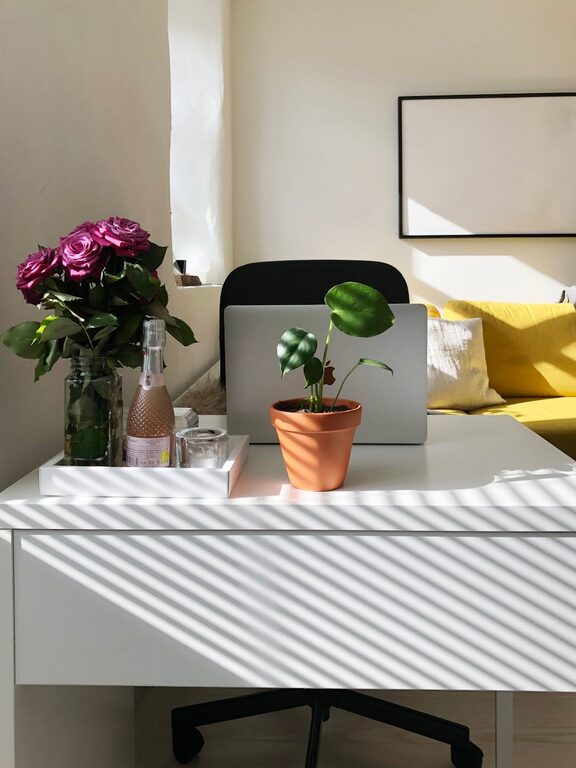
Creating a home office space that is both cozy and functional can dramatically improve your work-from-home experience. Whether you have a dedicated room or a small corner, balancing comfort with efficiency is key to staying motivated and productive. In this post, we’ll share practical tips to help you design a home office that supports your workflow while making you feel at ease.
1. Choose the Right Location
Consider natural light
Natural light boosts mood and focus, so try to set up your workspace near a window. If that’s not possible, select a space that can be well lit with artificial lighting.
Minimize distractions
Pick a quiet spot away from household noise and high-traffic areas. This can help improve concentration and reduce interruptions.
2. Invest in Comfortable and Supportive Furniture
Ergonomic chair
A good chair supports your back and promotes healthy posture. Look for adjustable features to find the right fit.
Functional desk
Choose a desk with enough surface area for your computer, supplies, and any other essentials, and consider options with storage to help keep clutter off your workspace.
3. Optimize Lighting
Use layered lighting
Combine ceiling lights with task lighting such as desk lamps. Adjustable, soft lighting reduces eye strain and makes your space inviting.
Avoid glare
Position screens to avoid reflections from windows or lights, which can cause discomfort and affect productivity.
4. Organize Efficiently
Declutter regularly
Keep only essential items on your desk. Use trays, drawers, or organizers to store papers, pens, and cables tidily.
Use vertical storage
Shelves or wall-mounted organizers help maximize space while keeping supplies accessible.
5. Personalize Your Space
Add cozy touches
Incorporate soft blankets, cushions, or rugs to make the space feel warm and inviting.
Include greenery
Plants not only brighten up the room but can also improve air quality and reduce stress.
Display inspiring items
Photos, artwork, or motivational quotes can make the space more enjoyable and boost creativity.
6. Create Zones for Different Activities
If space allows, define areas for computer work, reading, and taking breaks. This distinction helps shift focus and keeps you energized.
7. Manage Cables and Technology
Keep cables organized
Use clips, sleeves, or boxes to bundle wires so your desk stays neat.
Choose reliable equipment
Invest in quality technology like keyboards, mice, and monitors for comfort and efficiency.
8. Maintain Good Air Quality and Temperature
Ensure your workspace has adequate ventilation and a comfortable temperature. Fresh air and the right climate contribute to focus and wellbeing.
9. Set Boundaries
Design your home office in a way that signals “work time” and “off time.” This helps maintain work-life balance, especially in shared living areas.
10. Regularly Refresh Your Setup
Your needs and preferences may change over time. Periodically reassess and adjust your home office to keep it functional and cozy.
—
Creating a home office that blends comfort with functionality doesn’t have to be complicated. By focusing on thoughtful design, organization, comfort, and personalization, you can build a workspace that supports your productivity and makes working from home a pleasant experience. Start with these tips and tailor the space to what feels best for you. Happy decorating!