
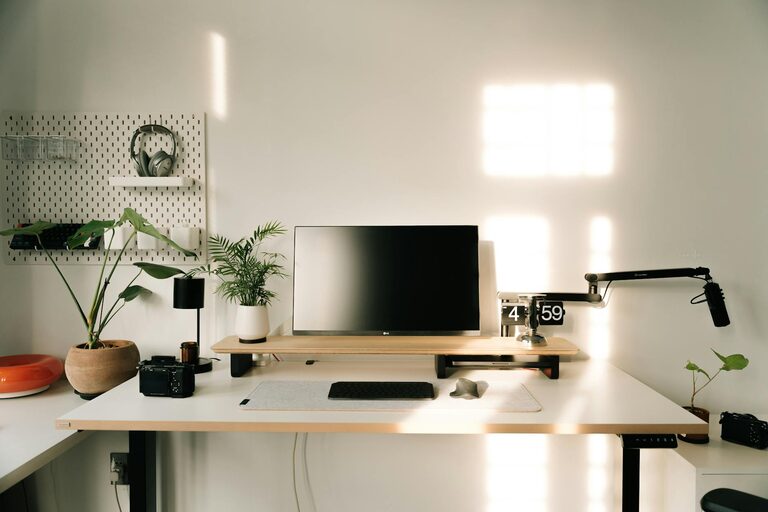
Working from home has become a common part of many people’s routines. Whether you’re freelancing, telecommuting, or running your own business, having a productive home office environment is essential. A well-designed workspace can help improve focus, reduce distractions, and make your workday more enjoyable. Below are some useful tips to create a home office that supports your productivity and comfort.
Choose the Right Location
Quiet and Private Space
Selecting a spot in your home where you can work with minimal interruptions is key. A quiet corner, spare room, or even a section of your bedroom can serve as your office. Try to find a space that is away from noisy areas like the kitchen or living room, especially if others in your household are active during your work hours.
Natural Light Matters
Natural light can enhance mood and energy levels. Position your desk near a window if possible to take advantage of daylight. Avoid placing your computer screen directly in front of or behind the window to reduce glare.
Invest in Comfortable and Ergonomic Furniture
Desk and Chair
Your desk should have enough space for your computer, essential supplies, and some room to write or read. Pair your desk with a comfortable chair that supports your posture. Look for chairs with adjustable height, lumbar support, and cushioning to avoid discomfort during long hours.
Consider Ergonomics
Proper ergonomics help prevent strain and injury. Keep your monitor at eye level, your feet flat on the ground, and your wrists in a neutral position when typing or using a mouse. Accessories like keyboard trays or footrests may help maintain good posture.
Organize Efficiently
Declutter Your Workspace
A tidy desk helps you stay focused. Keep only the essentials on your desk and store remaining items in drawers or shelves. Regularly declutter to maintain a clean space.
Use Storage Solutions
Invest in organizers, file holders, and shelves to keep paperwork and supplies orderly. Labeling boxes and folders can save time when searching for documents.
Minimize Distractions
Set Boundaries With Others
Communicate your work schedule to family or housemates. Use visual cues like a closed door or a “Do Not Disturb” sign to indicate when you shouldn’t be interrupted.
Manage Noise
If your home is noisy, consider noise-canceling headphones or a white noise machine. Background music at low volume can also help some people concentrate.
Optimize Lighting and Ambience
Use Task Lighting
In addition to natural light, use desk lamps or adjustable lighting to brighten your workspace, especially in the evening.
Personalize Your Space
Add a few personal touches like plants, artwork, or motivational quotes. These can boost your mood and create an inviting atmosphere without cluttering your space.
Establish a Routine
Set Working Hours
Define specific start and end times for your workday to maintain work-life balance. Include regular breaks to stretch and refresh your mind.
Create a Pre-Work Ritual
Starting your day with a consistent routine—such as making coffee, organizing your desk, or reviewing your to-do list—can help signal your brain that it’s time to focus.
Leverage Technology Wisely
Reliable Equipment
Ensure your computer, internet connection, and other tools are dependable to avoid frustration and wasted time.
Use Productivity Apps
Tools for task management, time tracking, and communication can help keep you organized and connected.
—
By following these tips, you can design a home office that fosters productivity and well-being. Remember, your workspace should suit your style and work habits. Take time to experiment and make adjustments until it feels just right. A thoughtfully created home office is an investment in your success and satisfaction.